Showing posts with label Evernote. Show all posts

Monday, April 25, 2016

Genealogy Do-Over - Do I Finally Have a System?


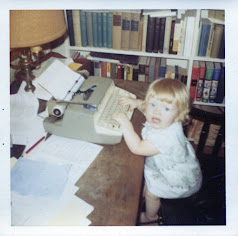
My paternal grandfather, Howard Matthews.
Always organized.
Do I finally have a research tracking system I can live with? It seems like all this planning and reading has been going on for way too long. But really, only time will tell as I put all these ideas into practice.

As I alluded to in my last post on this subject, staying organized has always been a challenge for me. One thing that helps me keep our living space organized is the mantra that professional organizers use often, "A place for everything and everything in it's place." This is something I need to keep in mind in organizing my genealogy, too. While I want to keep things as simple as possible, my genealogical finds and evidence need to have a place to go or I may just drop them somewhere random, never to be seen again.

This week I looked at where I wanted to keep four things:

  • To do list
  • Search attempts
  • Citations
  • Transcriptions
To Do List
I like keeping each ancestor's research note separate in Evernote, but I only want have one To Do List. I created a new Note in Evernote with a To Do List table and put a link to the Note in my research note template so that I can quickly get to the to do list from each research note.


You may notice that I started the name of this note with a period (.Research To Do List). That will make this note appear at or near the top of the list of notes when searching by name and make it easier to find.

Search Attempts
Search attempts, like the research log, will be kept in each individual note so I added this table to the template. This is a place to track all of the attempts I made to locate a record in a specific database.


Citations & Transcriptions
I really like Thomas MacEntee's idea of starting your evidence analysis in the research log, but unfortunately it isn't very practical in a table format. So what to do? How about using the Evidentia program I bought and paid for back in 2015? What an idea!

But that only deals with where to analyze my evidence, where else should I keep those citations so that they are accessible away from home and saved somewhere in the cloud for backup? I've decided to do two things with my citations and transcriptions. First will be to save a transcription of the document and the citation in Word document along with a digital image of the record and then upload the document to Dropbox. Then I will copy and paste the citation and transcription into the Evernote Note that contains a copy of the digital record.

I hope this post isn't too confusing. I had rewrite it a few times to make sure I was getting my points across. I hope I succeeded.

I'm going to put all of this into practice this week and put together a post to walk us through my process step-by-step. Wish me luck!

Tuesday, April 19, 2016

Genealogy Do-Over - Moving Towards a Research Tracking System - Choosing my platform

I thought I would be back with a post on Sunday but there just weren't enough hours in the weekend. I was lucky to find the time to scan a few photos that I want to post on Facebook during the week. That was the extent of anything genealogy-related for a few days. But this post is about organizing my genealogy research, not my home!

If there is one thing that my work life and previous genealogy research have taught me, it is that I will not remember the things that I think I will. Actually, that's a lesson I started learning in elementary school when my homework assignments weren't all completed because I wasn't writing them down. This was the subject of a parent-teacher meeting in about the 4th grade. Then my parents bought me a Ziggy pocket calendar. Now, thank goodness, I have much more helpful tools to choose from.

Not only do I need a research tracking system, I need something that won't be so complicated that I get lazy about using it, I need it to capture lots of information (because I won't remember it) and I'd much prefer it to be in Evernote so that I can access it offline when the need arises.

I really like Thomas MacEntee's research log in Excel, it holds a lot of information but it is still very easy to use. He has even included fields to allow you to start analyzing your evidence as you log it in. I gave it a shot last year, but my home computer is a Mac and at the time I didn't have Office 365 (the online subscription plan to Microsoft Office products). I was also in the process of deciding on a mobile computing option so I wasn't sure what my needs would be in that regard and didn't want to start something in Keynote (Apple's spreadsheet program) that might not be compatible with other devices.

Today, I do have Office 365 and I have the most basic Kindle Fire and a not-so-smart phone. Although I have yet to be able to take a deep dive into offline research, the reading I have done in the past few months has convinced me that I should have an option that includes mobile, offline access to my research logs. That means something that I can access on my Kindle (and a Chromebook when I can afford it) when there is no wireless available.

This is a long way of saying that although I like Excel, and there are some drawbacks to logging my research without it, I chose a method that uses Evernote. I mentioned Colleen Greene's blog and Evernote organization system in my last post. She has a system that seems a bit intimidating at first in terms of set-up but it looks to me like accessing the information will be quick and easy thanks to the ability to link notes together in Evernote, I love that. Here is an example of a research note for one of my grandparents:


As you can see, I have been able to link to other ancestors' notes and to documents that are saved in Evernote. This is not a replacement for genealogy software, as Colleen Greeen herself points out, but this section can give you access to facts and documents for easy reference.

Now, because the above information is in a table, rather than a spreadsheet, you can't add endless columns without reducing column width. That is where Excel has it all over Evernote, but I'm working on a solution to that which would basically involve multiple tables in the same document. But I am also experimenting with linked notes instead.

Hopefully I will have this all worked out by the end of next weekend so that I can share it with you then and get my research going again! 

Saturday, April 16, 2016

Genealogy Do-Over - Moving Towards a Research Tracking System - Tagging

Here we are in month four of the year-long Genealogy Do-Over and I finally have my Evernote just about in order. I thought this would be a good time to share what I am doing, even though NONE of these ideas are my own!

As I shared a few posts back (at least), I started getting serious about Evernote when I read Kerry Scott's How to Use Evernote for Genealogy a couple of months ago. The book was very helpful in understanding the program in general and Kerry shared many ideas about using it for genealogy specifically.

I found more help organizing on Colleen Greene's blog in a fantastic series of posts. By the way, I found these posts by doing a search of all the GeneaBlogs. Did you know you could do that? Easy-peasy.


It took a little bit for me to fully absorb all of Colleen's techniques and decide what I would use for myself, but I'm well on my way now. As an added bonus, some of these techniques are also helping me name and tag the digital files on my Mac and in Dropbox, and that is where I am going to start.

It has been a challenge for me to find a file-naming system that works. I don't like impossibly-long file names, they irk me and they feel like they aren't going to be much help in searches anyway. Thomas MacEntee's webinar on Metadata was a big help in this regard. Knowing that I can tag my photos and other files (like a census record) to identify all the relevant ancestors, without having to name them all in the file name, is great! The only drawback for me is that my personal computer is a Mac, which doesn't offer as many fields in the metadata, but the tagging is really working for me. Even better, I'm now tagging those files with their Dollarhide number instead of names so my tagging is quicker and tags are consistent across my multiple platforms.

For those who might be new to the Dollarhide numbering system as I was, here is a link to a good explanation of how it works. Long story short, everyone gets a number. At first I said, "No way!" I thought it was going to be too much work, that every time I wanted to save and tag something it would take forever. But I quickly realized that it didn't have to be that hard. Starting at the beginning and going through about 5 generations, I made a table in Word with just two columns; one for the name, last name first, and one for their number. The table can then be sorted by number or by name so look-ups are quick and easy. As I save documents with other ancestors in them, they are added to the chart which is re-sorted and saved.


As for other tags, I just try to anticipate the reasons I might access a file in the future, whether it be a document, a photo, a blog post or anything. Perhaps I might write a blog post about City Directories and want to look at all the City Directory pages I have saved in Evernote, perhaps I'll want to show a cousin everything I have collected about our grandparents' home town. Whatever different ways or reasons I think I might want to search for records in the future, I'll need tags to accomplish that task.


One other note about tagging and metadata. I was hoping to be able to search by the tags in my metadata to help find items saved to Dropbox but, as of now, Dropbox does not have this capability. My filing system will have to help me find what I'm looking for there. Or I can look for the filename on my Mac and use that to find the document on Dropbox (for sharing for example).  I also experimented to see if Dropbox would save the metadata for me even if I couldn't use it and I was happy to see that it did, even across different platforms. For example, I tagged a document on my Mac, uploaded it to Dropbox, downloaded it on my PC at the office and found all of my tags still there - yes!

So that is my new tagging system. I'll have more on Evernote tomorrow.

Wednesday, March 2, 2016

Genealogy Do-Over - Month 2 - Research Goals and Research Plans

Setting Research Goals was one of the two topics for February in the year-long version of Thomas MacEntee's Genealogy Do-Over.

I set my research goals for 2016 in mid-January, then last month, as I started working on those goals, I first set out more detailed plans as to how I wanted to tackle them. A detailed plan for each goal gives me focus, keeps me on track and helps to ensure that I can meet that goal by whatever end-date I have in mind. The Genealogy Do-Over really helped me to see how important it is to have stated goals if I really want to make solid progress in my research. But a detailed plan is vital, too. Without a plan my research goals will just be a list of things I wish I'd done this year come the end of December!

Since I have a Mac and no PCs at home, I had set up some spreadsheets last year at work over lunch and saved them to Google Docs. My plan was to subscribe to Office 365 for Mac so that I could do more with Excel spreadsheets but after reading Kerry Scott's "How to Use Evernote for Genealogy," I decided to set up tables in Evernote and give that a whirl. So far, so good. I've created a research log and research plan which I have shared below. And I can create tables and access them on my Mac, my work PC, my Kindle Fire and my phone (although I should point out that not all table functions are available on the Evernote mobile apps.)

This week I'm going to set up a research log and then see what other planning tools I want to create such as a table to keep track of society and other memberships, as suggested by Kerry Scott. I'm also working on my organization strategy for my notes. How many notebooks are necessary but also practical and how do I want to tag my notes? Kerry Scott did have suggestions in her book but you probably know for yourself that what worked for her won't necessarily work for me or for you, so I'm still working on the answers to those questions, but I hope to have a system in place by the end of next weekend.

In the meantime, since part of my research plan is to scan the keepsakes and documents from Dad's basement stash on Wednesday nights, I should be back tomorrow to share some of those treasures with you.


Sunday, February 21, 2016

Evernote, Kindle and George Washington Smith


February 1973 - 75th Birthday party for my grandfather,
George Washington Smith.
Pictured with his three surviving siblings.
I've been doing a fair amount of genealogy-related "stuff" lately, just nothing very blog-post-worthy.

A couple of weeks ago I ordered the new-ish $50 Amazon Kindle Fire. After a negative experience with the top-of-the-line Kindle last summer, which I just didn't feel was worth the money, at least for my purposes, I'm much happier with this model. It does most of what I wanted the other model to do (on a smaller screen) for only $50.

As soon as the Kindle arrived two weeks ago I began channeling my bibliophile father and reading three books at once: "Your Swedish Roots: A Step by Step Handbook" by Kjell Andersson and Per Clemensson, a genealogy thriller by M.K. Jones called "Three Times Removed" and Kerry Scott's "How to Use Evernote for Genealogy."

Although I have been a Premium subscriber to Evernote for months now, I was not entirely convinced that it would become for me the all-important genealogy tool that it is for so many. Kerry Scott's impressive book has changed my mind. If you are considering making Evernote part of your genealogy toolbox, I highly recommend this book.

I just finished the book this week and have only had a chance to put a small fraction of what I've learned into practice but so far it has even inspired me to clean out my email Inbox and to become a paid Feedly user so that I can save posts directly to my Evernote note which I just love. I have saved dozens of posts on Feedly itself, some just because I didn't have a chance to read them in depth at the time and others because they might be useful in my research, but I knew even as I saved them that there was little chance I would find them again when I needed the information, if I even remembered saving them. Now I am reviewing those posts again, and I am able to save them to the appropriate notebook in Evernote and tag them so that I can find them when I want to make use of the information in the post.

I can't wait to put more of Kerry Scott's suggestions into practice and see how else Evernote will help me organize my genealogy and even my personal "stuff".

Champagne chilling in the snow in preparation for my
grandfather's 75th birthday party.
Finally, tomorrow is the anniversary of the birth of my maternal grandfather, George Washington Smith. He was born in Thetford Mines, Quebec on February 22, 1898 to a Canadian mother and American father, George Robert Smith.

The above photo was taken as the preparations were underway for his 75th birthday party in February of 1973. I did not remember that I looked so cold and miserable in this photo, taken in my grandparents' backyard. That is pretty much the face I was making last weekend anytime I had to venture outside!

I'm not sure yet what I will be doing in terms of genealogy this week, but I hope it won't be so long before I post again.

Spring Cleaning - Bookmarks

I made it! My desktop PC was getting slower and slower last week, but my new laptop shipped earlier than expected and arrived on Friday and ...