A journal of my search for my ancestors and their stories. I started as a name collector and now I am a family historian and preservationist. Join me as I share what I learn.
Showing posts with label Genealogy Do-Over. Show all posts
Thursday, October 20, 2016
Back to the Genealogy Do-Over: Month 5 - Citing Sources
With all the scanning and photo preservation I've been doing the past few months, other genealogy activities have taken a back seat. I finally purchased the Kindle version of Evidence Explained a couple of months ago (I already owned a hard copy of the previous edition) and this week I finally re-read Chapter 1 and read Chapter 2. Finally.
Now I am ready to start, one person at a time, citing documents like this birth announcement for my father that I found in the "basement stash" last September and putting those citations into my research logs and into my Evidentia software for evaluation. I've had that for over a year and have not put it to use yet.
Do you use Evidentia or another tool to help you evaluate your evidence?
P.S. Speaking of Elizabeth Shown Mills. If you are a Legacy webinar subscriber she recently did an unbelievable presentation "FAN+GPS+DNA" which I watched last night as "homework" for DearMYRTLE's Wacky Wednesday webinar of the same name in which DearMYRTLE and her panelists discuss Elizabeth Shown Mills' methodology. You can find that here (with registration which allows you to see comments) or on YouTube when it's up. If you aren't a Legacy webinar subscriber you can pay to watch just this seminar, but I recommend becoming a member. You get 24/7 access to webinars old & new from great presenters on a huge range of topics for about $50 per year. Cheap at twice the price!
Monday, April 25, 2016
Genealogy Do-Over - Do I Finally Have a System?
![]() |
| My paternal grandfather, Howard Matthews. Always organized. |
As I alluded to in my last post on this subject, staying organized has always been a challenge for me. One thing that helps me keep our living space organized is the mantra that professional organizers use often, "A place for everything and everything in it's place." This is something I need to keep in mind in organizing my genealogy, too. While I want to keep things as simple as possible, my genealogical finds and evidence need to have a place to go or I may just drop them somewhere random, never to be seen again.
This week I looked at where I wanted to keep four things:
- To do list
- Search attempts
- Citations
- Transcriptions
I like keeping each ancestor's research note separate in Evernote, but I only want have one To Do List. I created a new Note in Evernote with a To Do List table and put a link to the Note in my research note template so that I can quickly get to the to do list from each research note.
You may notice that I started the name of this note with a period (.Research To Do List). That will make this note appear at or near the top of the list of notes when searching by name and make it easier to find.
Search Attempts
Search attempts, like the research log, will be kept in each individual note so I added this table to the template. This is a place to track all of the attempts I made to locate a record in a specific database.

Citations & Transcriptions
I really like Thomas MacEntee's idea of starting your evidence analysis in the research log, but unfortunately it isn't very practical in a table format. So what to do? How about using the Evidentia program I bought and paid for back in 2015? What an idea!
But that only deals with where to analyze my evidence, where else should I keep those citations so that they are accessible away from home and saved somewhere in the cloud for backup? I've decided to do two things with my citations and transcriptions. First will be to save a transcription of the document and the citation in Word document along with a digital image of the record and then upload the document to Dropbox. Then I will copy and paste the citation and transcription into the Evernote Note that contains a copy of the digital record.
I hope this post isn't too confusing. I had rewrite it a few times to make sure I was getting my points across. I hope I succeeded.
I'm going to put all of this into practice this week and put together a post to walk us through my process step-by-step. Wish me luck!
Tuesday, April 19, 2016
Genealogy Do-Over - Moving Towards a Research Tracking System - Choosing my platform
I thought I would be back with a post on Sunday but there just weren't enough hours in the weekend. I was lucky to find the time to scan a few photos that I want to post on Facebook during the week. That was the extent of anything genealogy-related for a few days. But this post is about organizing my genealogy research, not my home!
If there is one thing that my work life and previous genealogy research have taught me, it is that I will not remember the things that I think I will. Actually, that's a lesson I started learning in elementary school when my homework assignments weren't all completed because I wasn't writing them down. This was the subject of a parent-teacher meeting in about the 4th grade. Then my parents bought me a Ziggy pocket calendar. Now, thank goodness, I have much more helpful tools to choose from.
Not only do I need a research tracking system, I need something that won't be so complicated that I get lazy about using it, I need it to capture lots of information (because I won't remember it) and I'd much prefer it to be in Evernote so that I can access it offline when the need arises.
I really like Thomas MacEntee's research log in Excel, it holds a lot of information but it is still very easy to use. He has even included fields to allow you to start analyzing your evidence as you log it in. I gave it a shot last year, but my home computer is a Mac and at the time I didn't have Office 365 (the online subscription plan to Microsoft Office products). I was also in the process of deciding on a mobile computing option so I wasn't sure what my needs would be in that regard and didn't want to start something in Keynote (Apple's spreadsheet program) that might not be compatible with other devices.
Today, I do have Office 365 and I have the most basic Kindle Fire and a not-so-smart phone. Although I have yet to be able to take a deep dive into offline research, the reading I have done in the past few months has convinced me that I should have an option that includes mobile, offline access to my research logs. That means something that I can access on my Kindle (and a Chromebook when I can afford it) when there is no wireless available.
This is a long way of saying that although I like Excel, and there are some drawbacks to logging my research without it, I chose a method that uses Evernote. I mentioned Colleen Greene's blog and Evernote organization system in my last post. She has a system that seems a bit intimidating at first in terms of set-up but it looks to me like accessing the information will be quick and easy thanks to the ability to link notes together in Evernote, I love that. Here is an example of a research note for one of my grandparents:
As you can see, I have been able to link to other ancestors' notes and to documents that are saved in Evernote. This is not a replacement for genealogy software, as Colleen Greeen herself points out, but this section can give you access to facts and documents for easy reference.
Now, because the above information is in a table, rather than a spreadsheet, you can't add endless columns without reducing column width. That is where Excel has it all over Evernote, but I'm working on a solution to that which would basically involve multiple tables in the same document. But I am also experimenting with linked notes instead.
Hopefully I will have this all worked out by the end of next weekend so that I can share it with you then and get my research going again!
Not only do I need a research tracking system, I need something that won't be so complicated that I get lazy about using it, I need it to capture lots of information (because I won't remember it) and I'd much prefer it to be in Evernote so that I can access it offline when the need arises.
I really like Thomas MacEntee's research log in Excel, it holds a lot of information but it is still very easy to use. He has even included fields to allow you to start analyzing your evidence as you log it in. I gave it a shot last year, but my home computer is a Mac and at the time I didn't have Office 365 (the online subscription plan to Microsoft Office products). I was also in the process of deciding on a mobile computing option so I wasn't sure what my needs would be in that regard and didn't want to start something in Keynote (Apple's spreadsheet program) that might not be compatible with other devices.
Today, I do have Office 365 and I have the most basic Kindle Fire and a not-so-smart phone. Although I have yet to be able to take a deep dive into offline research, the reading I have done in the past few months has convinced me that I should have an option that includes mobile, offline access to my research logs. That means something that I can access on my Kindle (and a Chromebook when I can afford it) when there is no wireless available.
This is a long way of saying that although I like Excel, and there are some drawbacks to logging my research without it, I chose a method that uses Evernote. I mentioned Colleen Greene's blog and Evernote organization system in my last post. She has a system that seems a bit intimidating at first in terms of set-up but it looks to me like accessing the information will be quick and easy thanks to the ability to link notes together in Evernote, I love that. Here is an example of a research note for one of my grandparents:
As you can see, I have been able to link to other ancestors' notes and to documents that are saved in Evernote. This is not a replacement for genealogy software, as Colleen Greeen herself points out, but this section can give you access to facts and documents for easy reference.
Now, because the above information is in a table, rather than a spreadsheet, you can't add endless columns without reducing column width. That is where Excel has it all over Evernote, but I'm working on a solution to that which would basically involve multiple tables in the same document. But I am also experimenting with linked notes instead.
Hopefully I will have this all worked out by the end of next weekend so that I can share it with you then and get my research going again!
Saturday, April 16, 2016
Genealogy Do-Over - Moving Towards a Research Tracking System - Tagging
Here we are in month four of the year-long Genealogy Do-Over and I finally have my Evernote just about in order. I thought this would be a good time to share what I am doing, even though NONE of these ideas are my own!
As I shared a few posts back (at least), I started getting serious about Evernote when I read Kerry Scott's How to Use Evernote for Genealogy a couple of months ago. The book was very helpful in understanding the program in general and Kerry shared many ideas about using it for genealogy specifically.
I found more help organizing on Colleen Greene's blog in a fantastic series of posts. By the way, I found these posts by doing a search of all the GeneaBlogs. Did you know you could do that? Easy-peasy.
It took a little bit for me to fully absorb all of Colleen's techniques and decide what I would use for myself, but I'm well on my way now. As an added bonus, some of these techniques are also helping me name and tag the digital files on my Mac and in Dropbox, and that is where I am going to start.
It has been a challenge for me to find a file-naming system that works. I don't like impossibly-long file names, they irk me and they feel like they aren't going to be much help in searches anyway. Thomas MacEntee's webinar on Metadata was a big help in this regard. Knowing that I can tag my photos and other files (like a census record) to identify all the relevant ancestors, without having to name them all in the file name, is great! The only drawback for me is that my personal computer is a Mac, which doesn't offer as many fields in the metadata, but the tagging is really working for me. Even better, I'm now tagging those files with their Dollarhide number instead of names so my tagging is quicker and tags are consistent across my multiple platforms.
For those who might be new to the Dollarhide numbering system as I was, here is a link to a good explanation of how it works. Long story short, everyone gets a number. At first I said, "No way!" I thought it was going to be too much work, that every time I wanted to save and tag something it would take forever. But I quickly realized that it didn't have to be that hard. Starting at the beginning and going through about 5 generations, I made a table in Word with just two columns; one for the name, last name first, and one for their number. The table can then be sorted by number or by name so look-ups are quick and easy. As I save documents with other ancestors in them, they are added to the chart which is re-sorted and saved.
As for other tags, I just try to anticipate the reasons I might access a file in the future, whether it be a document, a photo, a blog post or anything. Perhaps I might write a blog post about City Directories and want to look at all the City Directory pages I have saved in Evernote, perhaps I'll want to show a cousin everything I have collected about our grandparents' home town. Whatever different ways or reasons I think I might want to search for records in the future, I'll need tags to accomplish that task.
One other note about tagging and metadata. I was hoping to be able to search by the tags in my metadata to help find items saved to Dropbox but, as of now, Dropbox does not have this capability. My filing system will have to help me find what I'm looking for there. Or I can look for the filename on my Mac and use that to find the document on Dropbox (for sharing for example). I also experimented to see if Dropbox would save the metadata for me even if I couldn't use it and I was happy to see that it did, even across different platforms. For example, I tagged a document on my Mac, uploaded it to Dropbox, downloaded it on my PC at the office and found all of my tags still there - yes!
So that is my new tagging system. I'll have more on Evernote tomorrow.
As I shared a few posts back (at least), I started getting serious about Evernote when I read Kerry Scott's How to Use Evernote for Genealogy a couple of months ago. The book was very helpful in understanding the program in general and Kerry shared many ideas about using it for genealogy specifically.
I found more help organizing on Colleen Greene's blog in a fantastic series of posts. By the way, I found these posts by doing a search of all the GeneaBlogs. Did you know you could do that? Easy-peasy.
It took a little bit for me to fully absorb all of Colleen's techniques and decide what I would use for myself, but I'm well on my way now. As an added bonus, some of these techniques are also helping me name and tag the digital files on my Mac and in Dropbox, and that is where I am going to start.
It has been a challenge for me to find a file-naming system that works. I don't like impossibly-long file names, they irk me and they feel like they aren't going to be much help in searches anyway. Thomas MacEntee's webinar on Metadata was a big help in this regard. Knowing that I can tag my photos and other files (like a census record) to identify all the relevant ancestors, without having to name them all in the file name, is great! The only drawback for me is that my personal computer is a Mac, which doesn't offer as many fields in the metadata, but the tagging is really working for me. Even better, I'm now tagging those files with their Dollarhide number instead of names so my tagging is quicker and tags are consistent across my multiple platforms.
For those who might be new to the Dollarhide numbering system as I was, here is a link to a good explanation of how it works. Long story short, everyone gets a number. At first I said, "No way!" I thought it was going to be too much work, that every time I wanted to save and tag something it would take forever. But I quickly realized that it didn't have to be that hard. Starting at the beginning and going through about 5 generations, I made a table in Word with just two columns; one for the name, last name first, and one for their number. The table can then be sorted by number or by name so look-ups are quick and easy. As I save documents with other ancestors in them, they are added to the chart which is re-sorted and saved.
As for other tags, I just try to anticipate the reasons I might access a file in the future, whether it be a document, a photo, a blog post or anything. Perhaps I might write a blog post about City Directories and want to look at all the City Directory pages I have saved in Evernote, perhaps I'll want to show a cousin everything I have collected about our grandparents' home town. Whatever different ways or reasons I think I might want to search for records in the future, I'll need tags to accomplish that task.
One other note about tagging and metadata. I was hoping to be able to search by the tags in my metadata to help find items saved to Dropbox but, as of now, Dropbox does not have this capability. My filing system will have to help me find what I'm looking for there. Or I can look for the filename on my Mac and use that to find the document on Dropbox (for sharing for example). I also experimented to see if Dropbox would save the metadata for me even if I couldn't use it and I was happy to see that it did, even across different platforms. For example, I tagged a document on my Mac, uploaded it to Dropbox, downloaded it on my PC at the office and found all of my tags still there - yes!
So that is my new tagging system. I'll have more on Evernote tomorrow.
Wednesday, March 2, 2016
Genealogy Do-Over - Month 2 - Research Goals and Research Plans
Setting Research Goals was one of the two topics for February in the year-long version of Thomas MacEntee's Genealogy Do-Over.
I set my research goals for 2016 in mid-January, then last month, as I started working on those goals, I first set out more detailed plans as to how I wanted to tackle them. A detailed plan for each goal gives me focus, keeps me on track and helps to ensure that I can meet that goal by whatever end-date I have in mind. The Genealogy Do-Over really helped me to see how important it is to have stated goals if I really want to make solid progress in my research. But a detailed plan is vital, too. Without a plan my research goals will just be a list of things I wish I'd done this year come the end of December!
Since I have a Mac and no PCs at home, I had set up some spreadsheets last year at work over lunch and saved them to Google Docs. My plan was to subscribe to Office 365 for Mac so that I could do more with Excel spreadsheets but after reading Kerry Scott's "How to Use Evernote for Genealogy," I decided to set up tables in Evernote and give that a whirl. So far, so good. I've created a research log and research plan which I have shared below. And I can create tables and access them on my Mac, my work PC, my Kindle Fire and my phone (although I should point out that not all table functions are available on the Evernote mobile apps.)
This week I'm going to set up a research log and then see what other planning tools I want to create such as a table to keep track of society and other memberships, as suggested by Kerry Scott. I'm also working on my organization strategy for my notes. How many notebooks are necessary but also practical and how do I want to tag my notes? Kerry Scott did have suggestions in her book but you probably know for yourself that what worked for her won't necessarily work for me or for you, so I'm still working on the answers to those questions, but I hope to have a system in place by the end of next weekend.
In the meantime, since part of my research plan is to scan the keepsakes and documents from Dad's basement stash on Wednesday nights, I should be back tomorrow to share some of those treasures with you.
I set my research goals for 2016 in mid-January, then last month, as I started working on those goals, I first set out more detailed plans as to how I wanted to tackle them. A detailed plan for each goal gives me focus, keeps me on track and helps to ensure that I can meet that goal by whatever end-date I have in mind. The Genealogy Do-Over really helped me to see how important it is to have stated goals if I really want to make solid progress in my research. But a detailed plan is vital, too. Without a plan my research goals will just be a list of things I wish I'd done this year come the end of December!
Since I have a Mac and no PCs at home, I had set up some spreadsheets last year at work over lunch and saved them to Google Docs. My plan was to subscribe to Office 365 for Mac so that I could do more with Excel spreadsheets but after reading Kerry Scott's "How to Use Evernote for Genealogy," I decided to set up tables in Evernote and give that a whirl. So far, so good. I've created a research log and research plan which I have shared below. And I can create tables and access them on my Mac, my work PC, my Kindle Fire and my phone (although I should point out that not all table functions are available on the Evernote mobile apps.)
This week I'm going to set up a research log and then see what other planning tools I want to create such as a table to keep track of society and other memberships, as suggested by Kerry Scott. I'm also working on my organization strategy for my notes. How many notebooks are necessary but also practical and how do I want to tag my notes? Kerry Scott did have suggestions in her book but you probably know for yourself that what worked for her won't necessarily work for me or for you, so I'm still working on the answers to those questions, but I hope to have a system in place by the end of next weekend.
In the meantime, since part of my research plan is to scan the keepsakes and documents from Dad's basement stash on Wednesday nights, I should be back tomorrow to share some of those treasures with you.
Tuesday, February 2, 2016
Genealogy Do-Over - Month 2 Preview
Wow, this year is flying by already! It's February 1st and I'm still adjusting to writing and typing 2016.
This month's topics for the Do-Over are Establishing Base Practices and Setting Research Goals.
Establishing Base Practices
Back in cycle 2, I compiled a list of "Best" Practices which you can find in one of the tabs above as well as in these two posts: Part I and Part II.
Setting Research Goals
I set out some fairly specific research goals for this year, but those goals can be broken down into smaller parts for planning purposes and so that I can have that all-important plan each time I sit down to do research. I'll be working on that this week. I've been using Thomas MacEntee's time management spreadsheet at work and I really like his system. It's simple and easy to adopt but it works. You can see his presentation here and below is part of my genealogy spreadsheet.
I've also been reading Kerry Scott's How to Use Evernote for Genealogy. I'm hoping I'll have time to finish it by the end of the long weekend for President's Day and then really get into using it more and deciding how I will use it going forward.
Blog posts are something else I would like to add to my planning, but I haven't made any progress for February so far. So, I'll be back, but I don't know when!
This month's topics for the Do-Over are Establishing Base Practices and Setting Research Goals.
Establishing Base Practices
Back in cycle 2, I compiled a list of "Best" Practices which you can find in one of the tabs above as well as in these two posts: Part I and Part II.
Setting Research Goals
I set out some fairly specific research goals for this year, but those goals can be broken down into smaller parts for planning purposes and so that I can have that all-important plan each time I sit down to do research. I'll be working on that this week. I've been using Thomas MacEntee's time management spreadsheet at work and I really like his system. It's simple and easy to adopt but it works. You can see his presentation here and below is part of my genealogy spreadsheet.
| Click for larger image |
I've also been reading Kerry Scott's How to Use Evernote for Genealogy. I'm hoping I'll have time to finish it by the end of the long weekend for President's Day and then really get into using it more and deciding how I will use it going forward.
Blog posts are something else I would like to add to my planning, but I haven't made any progress for February so far. So, I'll be back, but I don't know when!
Tuesday, January 19, 2016
Genealogy Do-Over-Preparing to Research
Looking back at my Genealogy Do-Over posts from last year, it seems that I sort of merged my Base Practices and Guidelines with my Research Preparation. So, while I have some important practices outlined to guide me as I research,
I didn't fully address the preparation for researching. Things like knowing where you left off last time, or exactly what your goals are for a particular session.
CLEAN WORK SURFACE
I need to work in a tidy environment. If my workspace is cluttered, so is my brain, that's just the way my brain is wired. I must make sure that my desk and surrounding area are ready for work.
NOTES
In Evernote I am going to make a notebook for each of my 2016 research goals like learning more about researching English records and finally finishing my slide scanning project. One of the notes I will keep in each notebook will be to remind myself where I left off at the end of the previous session and were I wanted to begin in the next. I will also keep notes of progress and any thoughts that I have while I am learning or researching or scanning. That deadly phrase, "I'll remember," has to be something I forget.
And speaking of Evernote, before I watch another Hangout or do another search in Ancestry, it would be a great idea to spend some more time learning my way around Evernote. If all I ever do with Evernote is keep track of information I know I will use in the future but that would be a BSO today, it will be well worth it, but I'd like to know as much about it as possible.
TIME MANAGEMENT/BUDGET
Another big one is to make sure I have adequate time for whatever I plan to do when I sit down. Whether it be an hour for one of DearMYRTLE's hangouts (or 90 minutes for Monday's with MYRT), or to make sure that my scanning time includes indexing, recording metadata, storing the slides, backing up the scans, and taking good notes for the next session.
This list looks a bit short but it feels like a good start and I can always add things as I go. I have a feeling that my next post will be from inside a couple of feet of snow and might have something to do with Evernote.
Stay warm and safe out there!
![]() |
| This hangs over the "computer desk" where I research. |
CLEAN WORK SURFACE
I need to work in a tidy environment. If my workspace is cluttered, so is my brain, that's just the way my brain is wired. I must make sure that my desk and surrounding area are ready for work.
NOTES
In Evernote I am going to make a notebook for each of my 2016 research goals like learning more about researching English records and finally finishing my slide scanning project. One of the notes I will keep in each notebook will be to remind myself where I left off at the end of the previous session and were I wanted to begin in the next. I will also keep notes of progress and any thoughts that I have while I am learning or researching or scanning. That deadly phrase, "I'll remember," has to be something I forget.
And speaking of Evernote, before I watch another Hangout or do another search in Ancestry, it would be a great idea to spend some more time learning my way around Evernote. If all I ever do with Evernote is keep track of information I know I will use in the future but that would be a BSO today, it will be well worth it, but I'd like to know as much about it as possible.
TIME MANAGEMENT/BUDGET
Another big one is to make sure I have adequate time for whatever I plan to do when I sit down. Whether it be an hour for one of DearMYRTLE's hangouts (or 90 minutes for Monday's with MYRT), or to make sure that my scanning time includes indexing, recording metadata, storing the slides, backing up the scans, and taking good notes for the next session.
This list looks a bit short but it feels like a good start and I can always add things as I go. I have a feeling that my next post will be from inside a couple of feet of snow and might have something to do with Evernote.
Stay warm and safe out there!
Thursday, October 22, 2015
Genealogy Do-Over Week 2 - Setting Research Goals & Conducting Interviews
![]() |
| Back side of my grandfather's visitors card for Chicago Lying-In Hospital from the birth of my father. |
In spite of having some time off last week I still found myself a bit behind on do-over posts. As I've said before, I'm participating in the do-over again because I find myself equal parts distracted and overwhelmed by the recent finds at my step-mother's house and have done very little research in the past few months.
Theoretically I could just pick up where I left off at the end of the last do-over, but it's much more fun to do it with the group, and also keeps me motivated to get things done.
Conducting Interviews
My self-interview was completed in Cylce 2, although I'm sure there will be memories and other finds to document from time-to-time.
I am still interviewing my mother. As I said the last time, she can be difficult to pin down. I have gotten away from trying to have a few questions in mind for her when we shop together, etc. I'll have to get that list out in the next few days and get it ready for Saturday.
I'm also very lucky to have some recorded interviews with a great-grandfather - recorded by his son - and my mother's father - recorded by my parents. I recently had them digitized and now they just need to be transcribed, something to add to my research goals.
Setting Research Goals
This is something that I did in Cycle 2 but my primary short-term goal has changed a bit, although it will help with some of the goals I set in that cycle.
My new short-term research goal is to go through each photo, document and keepsake that came from Dad's secret stash and review it for every possible bit of genealogical information it holds before scanning or photographing and storing. I've already had a couple of little breakthroughs from information contained on the backs of photos and inside one of my father's bibles.
It will be time consuming, but I think it is best for my own sanity that I deal with all of these boxes before I try to get anything else of substance completed.
I'll be back later today or tomorrow to talk about tracking and conducting research and sharing some of my research log with you.
Tuesday, October 6, 2015
Genealogy Do-Over Week One: Research Practicies
I decided last week that I was going to participate in Cycle 4 of the Genealogy Do-Over as a way to get back to my research after two months.
Since this is kind of a Do-Over Go-Over for me, I'm focusing on just my research practices for this week. I've reviewed what I did last time, which you can find in the "Best Practices and Guidelines" tab above, and I'm still happy with it.
I want my research to be fun and enjoyable, but I also want it to be intentional. I want to have goals and approach each one with all of the tools and practices I have learned and remember to follow these practices until they become habit. So I have taken eleven of these practices, printed them and framed them to hang above my computer desk for easy reference each time I sit down to research.
Popping down the occasional rabbit-hole chasing a BSO (Bright Shiny Object) without a definite goal in mind can be fun and has its place in my research I think, but if I'm going to do that once in a while, I still want to do it on purpose or intentionally so that I don't end up frustrated because I sat down with a solid goal in mind that I didn't come close to accomplishing.
I believe that these practices will keep me focused and help me make the most of the time, and let's not forget money, that I spend on my family research.
EDIT: Here is the link to my previous post for Week 1 of the Do-over. There you can find links to the sources for my practices, which I adapted from other Geneabloggers, including Thomas MacEntee.
Since this is kind of a Do-Over Go-Over for me, I'm focusing on just my research practices for this week. I've reviewed what I did last time, which you can find in the "Best Practices and Guidelines" tab above, and I'm still happy with it.
I want my research to be fun and enjoyable, but I also want it to be intentional. I want to have goals and approach each one with all of the tools and practices I have learned and remember to follow these practices until they become habit. So I have taken eleven of these practices, printed them and framed them to hang above my computer desk for easy reference each time I sit down to research.
Popping down the occasional rabbit-hole chasing a BSO (Bright Shiny Object) without a definite goal in mind can be fun and has its place in my research I think, but if I'm going to do that once in a while, I still want to do it on purpose or intentionally so that I don't end up frustrated because I sat down with a solid goal in mind that I didn't come close to accomplishing.
I believe that these practices will keep me focused and help me make the most of the time, and let's not forget money, that I spend on my family research.
EDIT: Here is the link to my previous post for Week 1 of the Do-over. There you can find links to the sources for my practices, which I adapted from other Geneabloggers, including Thomas MacEntee.
Saturday, July 25, 2015
Another step closer to secure data!
![]() |
| Living in an apartment, news stories about fire give me pause. |
![]() |
| Stories about floods & other disasters also make me queasy. |
Back in my Week 13 update I shared a bit about my frustrations in backing up my computer to IDrive. This morning I finally finished backing up my entire iMac to IDrive. Earlier in the week I also finished linking my Ancestry trees to Family Tree Maker and then saved those GEDCOM files to Dropbox (it was just easier than IDrive because FTM has a Dropbox option).
I feel really good about this, it definitely makes me feel better about my data.
As Thomas MacEntee does and suggested for the rest of us during the Do-Over, I am working towards following the 3-2-1 Rule:
3 copies of each file
I now have 2 copies of all of my files, 1 on my iMac and 1 on IDrive. For some files, mostly photos, I actually have 3 copies already because of my files on Dropbox. When I buy that external drive, I will have the 3 copies of each.
2 different media formats
Again, I have this covered; computer and cloud storage.
1 off-site copy
I already have one and I am considering copying everything I can to a thumb drive and giving it to my mother. This is harder to keep up-to-date, though.
As for the issues I encountered with IDrive, I will have to investigate further at some point to find out if the issues I was having were related to my internet service, my computer or IDrive. I know at least some of the issues were at IDrive because they told me so when I called them a couple of weeks ago. They had been working on the server that holds my account and I was unable to sign in for an entire weekend. That doesn't sound great to me, frankly. If I had suffered a computer catastrophe and needed access to my data, I would not want to hear that. Also, if you are an IDrive user and ever need to contact customer support, make sure you have some free time. I waited a good ten minutes to speak to a live human. None of this has impressed me but I am paid for a year, so I will stick with it for now and be very happy when I have an external drive.
I still have yet to get back to my research plan although I have done some exploring this week.
Be back soon with the search for my great-grandfather, George Robert Smith's, birth records.
Thursday, July 2, 2015
Genealogy Do-Over Week 13 - Securing Data & Reviewing the Journey
| Ironically blank family tree pages from my own baby book. |
This was the last week of the Genealogy Do-Over and the topics were 1 - Securing Research Data and 2 - Reviewing the Journey
Securing Research Data
Thomas MacEntee asked four very important questions in this weeks post:
1. If you lost all your data, would you be able to recreate it?
2. Would you even know where to begin?
3. If you died today, would your family know what to do with your research?
4. Have you made plans to preserve your research for generations to come?
I must admit that my answers to these questions are no, no, no and no, in that order. Clearly, I have some work to do and this is going to be a priority for me.
I was already planning to buy an external hard drive in the next month or so but before I do that, I really need to make a comprehensive and detailed plan. I'm now looking at it from the view point of Question #2 above, what would I do if some unbelievable event wiped my hard drive and my online tree all at once. What would I do, step-by-step? What do I need to put that plan into action?
This is something that is going to take some additional research and won't be completed all at once. I will post about this as I make my plan and put it into action. The same with my plans for my research, images and artifacts in the event of my death, not a pleasant subject but more complicated and necessary because I don't have children.
Reviewing the Journey
I remember reading something Thomas MacEntee wrote recently to the effect that he still could not believe the way that his do-over program and concept have caught on. Well, I can. The Do-Over is well thought out, well laid out and hits the points vital to thorough and productive research; for me, the past 13 weeks have been eye-opening, instructional, inspirational and thought-provoking.
In just the last 13 weeks I have:
- Established a firm foundation for my research with base (or best) practices and guidelines.
- Learned to set research goals.
- Begun to track my research.
- Started a research toolbox.
- Learned more about citing my sources (I don't think you're ever done with this one).
- Begun to learn about evaluating evidence.
- Purchased genealogy database software (after 7 years where my only tree was online).
- Learned more about digitizing my photos and documents.
- Reviewed offline education options and finally joined an offline genealogical society.
- Learned about conducting cluster research.
- Organized about 70% of my research materials, family documents and photos.
- Begun to organize my digital research materials.
- Begun to plan for securing my research data.
I will still follow along with the following cycles of the Do-Over and with the Facebook group. There is much yet to accomplish but with this firm foundation I know that even BSOs cannot stand in my way for very long!
Thank you Thomas, for all your hard work and for providing us with the Do-Over!
Thursday, June 25, 2015
Genealogy Do-Over Week 12 - Sharing Research and Reviewing Research Travel Options
![]() |
| The Pittston, PA home of my paternal grandfather |
Sharing Research
From the very first person I entered in my Ancestry tree in 2008, I have had a public tree. I have seen people take photos and other information from my trees without any communication, one was even a cousin I know, although I haven't seen him in many years. It bothers me sometimes, but I just think of it now as the price I pay to find the long-lost relatives who do reach out.
At the beginning of the Do-Over I made the decision to keep my tree public but add a disclaimer as Thomas MacEntee suggested. After receiving an email from someone who is not related to me but was trying to find information on someone in my tree I realized from their comments that they had not read or seen that disclaimer. That and some other comments made by this person were so disconcerting to me that I made that tree private for the first time ever. I'm not sure what I will do about this going forward, although it will matter less and less as I add those same ancestors to my new tree with my new research standards. That tree is, and hopefully always will be, public.
I agree with Thomas MacEntee, though. As long as you aren't a sucker, I think you have to approach sharing with willingness. I am definitely more giving when I'm getting the sense that a person is just happy to make a connection and less so when I'm feeling like someone is just doing it with their hand out. And if your expectations are too high, you could be setting yourself up for disappointment. An expectation can be a premeditated resentment.
Reviewing Research Travel Options
This "Friday Funny" is based on an actual research trip. Over our Thanksgiving weekend last year, my mother and I made a trip to Quebec to visit cousins we hadn't seen in years. They live on and still work the farm founded by my 3rd great-grandfather 150 years ago. There are ancestors buried in three cemeteries within 10 minutes of the farm and even more not too much further away. I had four on my wish list for this trip but the six inches of snow that did actually fall on bare ground the night before our arrival did us in. We tried but it was pretty much a failure. Now, the reality of our trip was that we were primarily there to see family and the ancestor hunting would have been a terrific bonus but it brings up a good point. Try to plan trips for an appropriate time of year and have some back-up activities planned and some flexibility in your itinerary in case of weather.
Other things I can recommend based on my three little research trips so far are:
- To have having specific goals - you don't want to get home and feel like you missed something.
- Budgeting - Don't forget those vital records fees.
- Reach out to local historical & genealogical societies - for any useful tips or information they may have.
- Plan for emergencies - I hadn't thought of this, but thanks to Thomas MacEntee I will certainly make this part of my planning for my next trip.
Monday, June 22, 2015
Genealogy Do-Over Week 11: Reviewing Social Media Options & Building a Research Network
![]() |
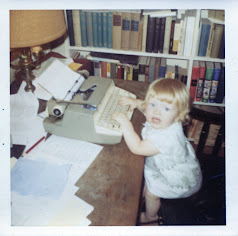
| Me, Elk Grove Village, Ill 1970 |
Reviewing Social Media Options
Again, I have to agree with Thomas MacEntee about social media. It really is getting so that you can't say you're doing everything you can in your research if you aren't taking advantage of social media.
After about five years of craft blogging and just over three years of genealogy blogging, I just joined Facebook a few months ago, motivated by genealogy research goals and I'm really glad I did. I now belong to 10 genealogy groups. Some are overall research groups like the Genealogy Do-Over and Genealogy-Cite Your Sources, some are geographic like the Swedish American Group and the Long Island NY Genealogy group. All have been helpful in some form or another and I've seen members of these groups be very helpful to other members.
I joined Google+ this year, also because of genealogy. I have mentioned DearMYRTLE a few times during the Do-Over. Her Hangouts on Air are recorded and can be viewed on YouTube, but in order to comment live you have to join Google+ and her community, so I did. I'm not as active on Google+ otherwise, but I hope to get more into it in the coming months.
I have been on Twitter for a few years now. I'm not really an active "tweeter". I use it more as a news feed for my interests in genealogy and in ice hockey and for little else. Twitter moves more quickly than Facebook so it is easy to miss things, but I still like it and find it a useful tool.
And, of course, I blog. What started as cousin-bait is evolving into something more, I hope. As I grow more comfortable with the idea that I have more to share than just the names and facts of my ancestors, I hope that this will be a place where I can offer my experience with research as well.
Building a Research Network
This Saturday I finally attended my first meeting of a live Genealogical Society; the Irish Family History Forum. I joined online a few weeks ago, received a welcome package last week and attended their final meeting of the season on Saturday about a half hour from home.
It was a fantastic meeting. The lecturer was a genealogist by the name of Jane Wilcox and her topic was "New York City and State Vital Records and Their Substitutes." It was fascinating and very detailed and informative.
Although the meeting consisted mostly of the lecture, I was able to meet a couple of people who were very happy to share a wee bit of knowledge with us as well. I think more will come of that in terms of researching as I attend more meetings starting in the fall.
As I said above, my blogging began mostly as cousin-bait, but I am hoping that it will become "fellow-researcher bait" eventually as well especially as I share more of my experiences and thought processes when in comes to researching.
I'm also trying to become a better blog reader and make time to visit more blogs on a regular basis. I'm not sure when I got away from that as much as I have but I realized recently that I wasn't visiting nearly as many blogs as I was when I first found Geneabloggers. As a blogger I know how much work blogging can be, it can only be a good thing to let fellow-bloggers know that I am reading and that I appreciate their work.
I think that expanding one's research network is as important as, and goes hand-in-hand with, a social media presence. This will definitely be a priority for me this year.
Sometime in the next couple of days I will post about the Week 12 topics and finally be caught up with the Do-Over as this cycle is coming to an end!
Friday, June 19, 2015
Genealogy Do-Over - Week 10 - DNA and Digital Organization
The topics for Week 10 were 1 - Reviewing DNA Testing Options and 2 - Organizing Research Materials - Digital
Reviewing DNA Testing Options
If you saw my last post and the photo of my new genealogy filing system or you take a look at my digital files above, you'll see that I have a Smith line. It also happens to be a brick wall and one of the lines I'm most interested in for a couple of reasons. There is Mayflower mythology in the Smith family. I believe it was my maternal grandfather's father who said that we are descended from Francis Cooke, although I have absolutely no evidence to support that claim. More importantly, my 2nd great-grandfather, Benjamin Smith, was born in the vicinity of the Long Island village where I grew up and still live. That wouldn't be a big deal in and of itself except that we moved here from the Chicago suburbs and my parents had no idea of any ancestry on Long Island when we did. Long Island in 1822, when Benjamin was born, was lousy with Smiths and even with Benjamin Smiths and I have not yet found any evidence of the names of Benjamin's parents, so then DNA, right?
Well, not so fast. I am a female descendant of a female Smith. I need a male Smith cousin to take a test. I actually have a male Smith cousin who has the genealogy bug and who might be persuaded but I'd like to do a little more research before I approach him about DNA. With all the answers we are looking for, I have never heard him suggest it, so I don't know how he feels about it. There is a Smith DNA project which I should really investigate further and then, we'll see if Mr. Smith Cousin is willing to do a cheek swab or if there are other ways to break through this wall.
In any case, Thomas MacEntee has given all of us plenty of resources in the Week 10 post which I plan to add to my resource toolkit as I consider the options.
Organizing Research Materials - Digital
Documents
I am in the process of organizing my digital documents to mirror the color-coded system I am using with my paper files. If I had a PC, I would be all over Folder Marker which I have seen demonstrated on some Google+ Hangouts and may even have seen posted in the Do-Over Facebook group. Folder Maker lets you change the color of folders and even their shape I believe. Unfortunately it is not available yet for Macs. What I can do without added software is to tag folders with one of 7 colors of dots as in the screen-grab at the top of this post (which you can click to enlarge).
My naming convention for documents is the same as Thomas MacEntee - DOE John b 1900 WWI Discharge Cert. If John Doe were discharged prior to his marriage, the document would be filed in his parents' file because he would still be part of their family group. If he were discharged after marriage, the document would be filed in his file because he would be the head of his own family group.
Part of me says this seems like a lot of work when I can just do a simple search to find any document on my computer, but I like the idea of my digital files and paper files being organized the same way. And if it ends up that it doesn't work for me, I can always change it, wouldn't be the first time!
Images (Digitized Slides and Photos)
I am organizing my digitized slides and photos differently from the document files, and that is by the way they were taken/stored. For example, I have been scanning 18 carousels of slides that belonged to my father. Each carousel has its own folder. It may seem a little confusing, but it makes sense to me. Naming the images themselves has been another challenge, but one I can deal with better now that I know about...
Metadata
Wow, how did I not know about this? Thomas MacEntee's webinar about metadata included in this week's post has been enlightening. Unlike a birth certificate or other vital record, photos often hold the images of more than one person but listing everyone in the file name can be impractical. That didn't stop me from trying, though. Now that I know about metadata, I will have to revisit my photos and my photo-naming. It will mean more work, but it will be worth it.
Backing Up
When I finished my first big digitization project, my maternal grandfather's photo albums, I saved all of the files to two memory sticks and gave one to my mother and one to my in-laws. The one I gave to my in-laws was actually lost to Superstorm Sandy, and I did not have any cloud storage at that time, so it was a good thing I chose two sites for off-site storage, although my Mac is still going strong as well.
These days I am saving files to Dropbox and my Mac's hard drive. I know I should also have an external hard drive and I am planning to purchase one this summer. Should I still back up to a thumb drive to keep at a family-member or friends house? It wouldn't hurt, I guess, but I probably won't do it right now.
One thing that needs improvement is the habit of uploading my digital images to Dropbox. The .tif files take a long time to upload so I don't always do it right away and then it is so easy to loose track of what is done and what is not.
As I said yesterday, once I am finished with this cycle of the do-over, I will dedicate some posts to my processes for digitizing photos, slides and negatives including archiving the originals and organizing the images.
Tomorrow morning I am headed to my first-ever in-person genealogy meeting. I'll post about that this weekend as part of a post about Week 11.
Thursday, June 18, 2015
Genealogy Do-over Week 9: Cluster Research and Organizing Research Materials - Documents and Photos
Week 9 topics were 1 - Conducting Cluster Research and 2 - Organizing Research Materials - Documents and Photos.
Conducting Cluster Research
Cluster research is when you research the Friends, Associates and Neighbors (FAN Club) of your direct ancestors. A better, more detailed description can be found in the Week 9 Do-over post. The post also includes tips for cluster research and collateral research that I found and will find helpful; a reminder to keep a research log, to formulate theories and write them down, to try swapping given names and middle names.
I am not ready for cluster research in my own trees, but I definitely see its value as a research method.
If you haven't already, I recommend that you read the Elizabeth Shown Mills post that Thomas MacEntee linked in his Week 9 Do-Over post. Not only is it a fascinating look at well done research, it contains very interesting history and begs the question, why did I ever think history was boring?
Certainly there is more reading to be done before embarking on cluster research if it is to be successful, and when I find it, I will share it here.
Organizing Research Materials - Documents and Photos
Documents
When I began the Do-Over, I started by organizing my documents, or so I thought. As I organized I saw some posts in the Do-Over Facebook group about the color-coded filing system many people use and though that while it looked like a great system, it was too much for me and just wasn't a good fit for the type of documentation that I have (heavy on correspondence and keepsakes, light on vital records). As you can see from the photo above, I have since changed my mind.
What I began to realize was that although my files were now organized it was not done in a systematic way and the organization might begin to break down when new documents and new types of documents were added. At first I dismissed the need to add to my paper documents because I find a lot of records now in digital format and because I immediately digitize the records that I get on paper. But in the back of my mind were online posts and discussions of file back-ups, software failure, online database changes and the fact that the file formats of today may not be compatible with technology of the future when a great-grand-niece or distant cousin wants to see my father's birth certificate. So, I took a deep breath and decided to take another look at what other genealogists are doing to organize.
Thanks to Cyndi's List I found a lot of great guidance in setting up this system, especially this blog post because it included a "sub-system" for dealing with Patronymics (names derived from the father). Patronymic naming was used in Sweden, home of my paternal grandmother's parents, my green folders above, so I needed to know that my system could handle that as well.
Although I found some of the supplies I needed at my local office supply store, I did have to place a small order through Amazon which I am still waiting for. Once that arrives and I can put the finish touches on my new system, I will share again.
Photos
I am so fortunate. I have ancestral photos going back over 150 years. But with this gift comes the great responsibility of preservation and preservation can be expensive and confusing.
As I have mentioned in past posts, I have found great advice about photo and slide digitization and preservation at the monthly Scanfests hosted by Ancestories blogger and genealogist, Miriam Robbins. I hope she finds a new platform for Scanfest soon!
It occurs to me as I type that I really should be using my blog to document this long process because there are others out there who might find it helpful. So, look for that soon. And I'll be back tomorrow with a post about the Week 10 topics.
Monday, June 8, 2015
Genealogy Do-Over - Week 8 - Conducting Collateral Research and Offline Education Options
Week Eight has a couple of great topics. Collateral research is something I love and offline education is something I need to do more of.
Conducting Collateral Research
I love collateral research, especially involving siblings of people in my direct line. For me, research on those relatives helps to flesh out other ancestors.
This year I found the Pittston Gazette on Newspapers.com; Pittston, Pennsylvania being the home of my paternal grandfather, Howard Matthews. I've made some incredible finds in there, like a letter my grandfather wrote to Santa when he was eight. But I have also found marriage and death announcements for his siblings, social notes about birthdays and church events (these papers were the Facebook of their day), and articles about fires that destroyed my great-grandfather's and great uncle's businesses, even a story about their home being burglarized as they slept. All these things have enriched my understanding of the whole family, including my grandfather and great-grandparents, those in my direct line.
All that said, as I start a new tree with new research methods and standards of research, I'm tempted to research just in my direct line at the beginning, then to move on to collateral research when I have more confidence in my new methods.
Offline Education Options
Once again, Thomas MacEntee is in my head, telling me what I need to do! But I am thankful that he covered this topic because it made me take another look at it.
I cannot even begin to put a conference with travel and hotel and everything else into my budget but I know I need to take some of my education offline.
I haven't had much luck finding a genealogical society near me, but I was determined that I would not finish this post until I found something that involved live people. Searching for societies on Long Island, I was only finding things like the German Genealogical Group and Italian Genealogical Group neither of which match my ancestry. Then I discovered that these are just two of 11 member organizations that make up the Genealogy Federation of Long Island. Other members include a library and the local Family History Center!
They have a Facebook group, which I have asked to join, and meetings hosted by the member organizations in different places around the Island. Many of them have a Help Session before the meeting. That is encouraging and exciting. Its too bad that I missed their Annual Picnic this weekend, but they do have a number of meetings coming up that look interesting. I will definitely post about that as soon as I do!
Conducting Collateral Research
I love collateral research, especially involving siblings of people in my direct line. For me, research on those relatives helps to flesh out other ancestors.
![]() | |
| Ada Merritt Hobbs Matthews and Emily Hobbs Snell |
![]() |
| My mother and grandmother. The photo my grandfather carried while he was overseas. |
In another case, it was just entering my maternal grandmother' siblings into my old Ancestry tree that gave me a deeper understanding of her childhood. I had always known that my grandmother, Marjorie Elizabeth Dean Smith, lost her mother at a young age and lost a brother, Lawrence Nimmo Dean, to WWII, but it took on deeper meaning for me when I saw all the dates in one place. I saw that she was 12 when her mother died and Lawrence was 2 and that it was another 7 years before her father remarried. Although two of her siblings were sent to other relatives during this time, my grandmother and Uncle Lawrence remained at the farm. She raised him until he was 9!
Loosing a brother is devastating enough, especially when your husband and other loved ones are also overseas and in danger, but this must have been like loosing a child. It was a decade after her death when I put this all together and I found myself crying for her pain.
All that said, as I start a new tree with new research methods and standards of research, I'm tempted to research just in my direct line at the beginning, then to move on to collateral research when I have more confidence in my new methods.
Offline Education Options
Once again, Thomas MacEntee is in my head, telling me what I need to do! But I am thankful that he covered this topic because it made me take another look at it.
I cannot even begin to put a conference with travel and hotel and everything else into my budget but I know I need to take some of my education offline.
I haven't had much luck finding a genealogical society near me, but I was determined that I would not finish this post until I found something that involved live people. Searching for societies on Long Island, I was only finding things like the German Genealogical Group and Italian Genealogical Group neither of which match my ancestry. Then I discovered that these are just two of 11 member organizations that make up the Genealogy Federation of Long Island. Other members include a library and the local Family History Center!
They have a Facebook group, which I have asked to join, and meetings hosted by the member organizations in different places around the Island. Many of them have a Help Session before the meeting. That is encouraging and exciting. Its too bad that I missed their Annual Picnic this weekend, but they do have a number of meetings coming up that look interesting. I will definitely post about that as soon as I do!
Thursday, June 4, 2015
Genealogy Do-Over Week 7-Reviewing Genealogy Database Software and Digitizing Photos
![]() |
| Black Hawk Statue, Lowden State Park, Ill. 1970 - GO HAWKS! |
The topics for Week Seven were 1- Reviewing Genealogy Database Software and 2-Digitizing Photos.
Reviewing Genealogy Database Software
Until last Friday, I did not have genealogy software. I only had my tree online at Ancestry. That's right, seven years without a backup. The Do-Over has done me good again, pushing me to not only review and consider database software, but to finally make a purchase. Initially I thought I would have my new tree at People Search instead of Ancestry and use Roots Magic, but I found I wasn't as comfortable navigating People Search as Ancestry where I've been a member since 2008. There wasn't anything bad about it, I just felt more comfortable where I am. Also, I use the Quebec Church Records (Drouin Collection) at Ancestry quite a bit, and since I had no intention of giving up my Ancestry membership it made more sense to me to just start a new tree there.
I'm also a bit limited in my software choices because I have a Mac. In my last post I talked a bit about DearMYRTLE and Cousin Russ. He is a Family Tree Maker user and proponent and knowing he is not a casual researcher made me feel a bit better when I encountered negative reviews at GenSoftReviews, a site that Thomas MacEntee shared in his Week 7 post. I also took my question to the Genealogy Do-Over group on Facebook and all of the feedback on Family Tree Maker was positive. And that was it, I downloaded FTM for Mac v. 3 on Friday afternoon.
With only three people in my new tree, I don't have a lot to say about it yet, but I will share something as soon as I do.
Digitizing Photos
I've been digitizing family photos for a few years now. I started with my old printer/scanner combo and my maternal grandfather's photo albums that are about 100 years old.
![]() |
| 1914 Hudson, from the photo albums of George W. Smith |
Since then I have discovered Miriam Robbins' Ancestories blog and her monthly ScanFest and something similar to the Photo Digitization Best Practices that Thomas shared in this week's post. If you click over to her blog today you will see her last blog post which is an announcement cancelling May's ScanFest. Rest assured, she will find something that works and it will be worth the wait. Miriam and her regular participants are fonts of information about photos, scanning, preserving and genealogy in general. I participate whenever I can.
The question of DIY or scanning service comes down to budget for me. I have a lot to scan and it is in no way, shape, or form in my budget. Sometime this year I do hope to use a service to digitize some other things; a home movie of my paternal grandparents' wedding, in black & white, with some footage of my dad as a child, in color! as well as an audio recording of one of my great uncles interviewing my great-grandfather. I spent quite a bit of time looking for a service that I thought I could trust, but I really wanted a personal testimonial from the genealogy community before I send these precious items away. Thankfully, Thomas MacEntee did a review of Larsen Digital a few months (?) back, before the review in his Week 7 post, and I'm sold. I can't wait to watch my grandparents' wedding again! But I will need to find a Swedish to English translator for my great-grandfather's memories.
I don't think I will have a lot to say about the Week Eight topics, but we'll see what happens when I sit down to write it. Until then, I'll be reading Evidence Explained.
Wednesday, June 3, 2015
Genealogy Do-Over Week 6 - Evidence Evaluation and Online Education
A family birthday, a Game 7 (Go Hawks!), and two bad nights' sleep kept me from writing this post this weekend. So here I am at work writing while I eat lunch because I'd really like to get caught up with the do-over by the end of next week. I'm not sure that will be possible with another family birthday coming up followed by Father's Day, but I'll give it a shot.
The topics for Week 6 of the Genealogy Do-Over were Evidence Evaluation and Reviewing Online Education Options.
Evidence Evaluation
I have started a completely new tree in Ancestry as part of my Do-Over. It has five people in it, as opposed to my old tree (which is now private), which has 829. I guess you could say I was a name collector, although I wasn't putting people in my tree for the sake of a number.
I knew all four of my grandparents and I would probably feel comfortable putting all of them in my tree based on that fact alone, but I've decided to wait until I have more evidence just to practice my new process on people I do know before I move on to ancestors I don't know.
I'm still working on building the skills necessary to evaluate the evidence that I have and the new evidence I have collected since starting the Do-Over. I'm not that far into Evidence Explained yet and I have just started to use a trial of Evidentia.
As I evaluate more evidence I will share more about this part of my Do-over. For now I am reading and learning which brings me to this week's second topic.
Reviewing Online Education Options
I discovered DearMYRTLE's Google+ community a few months ago. Every week Myrtle holds Hangouts on Air within a variety of themes. They are held live but recorded and can be watched on Google+ if you are a member of her community or on YouTube.
She is now in the middle of her third study group of Mastering Genealogical Proof by Thomas W. Jones in addition to a Beginning Genealogy Study Group which is almost done, Mondays with Myrt, Wacky Wednesdays and Genealogy Game Night. You can learn more about these from her blog: DearMYRTLE's Genealogy Blog.
Her cousin, Cousin Russ, who is there for just about every hangout and is her partner of sorts, has a community of his own. Russ just did a two part Hangout which I haven't had time to watch yet where he goes through the steps of trying to establish the correct name of an ancestor while using his Research Log and Family Tree Maker. I definitely have to make time for that.
So for now, given the constraints of time and budget, my online education will be in the form of these valuable Hangouts, the Genealogy Do-Over and genealogy blogs.
Hopefully I will be able to post again before the weekend. Until then, good luck with your Do-Over or Go-Over.
The topics for Week 6 of the Genealogy Do-Over were Evidence Evaluation and Reviewing Online Education Options.
Evidence Evaluation
I have started a completely new tree in Ancestry as part of my Do-Over. It has five people in it, as opposed to my old tree (which is now private), which has 829. I guess you could say I was a name collector, although I wasn't putting people in my tree for the sake of a number.
I knew all four of my grandparents and I would probably feel comfortable putting all of them in my tree based on that fact alone, but I've decided to wait until I have more evidence just to practice my new process on people I do know before I move on to ancestors I don't know.
I'm still working on building the skills necessary to evaluate the evidence that I have and the new evidence I have collected since starting the Do-Over. I'm not that far into Evidence Explained yet and I have just started to use a trial of Evidentia.
As I evaluate more evidence I will share more about this part of my Do-over. For now I am reading and learning which brings me to this week's second topic.
Reviewing Online Education Options
I discovered DearMYRTLE's Google+ community a few months ago. Every week Myrtle holds Hangouts on Air within a variety of themes. They are held live but recorded and can be watched on Google+ if you are a member of her community or on YouTube.
She is now in the middle of her third study group of Mastering Genealogical Proof by Thomas W. Jones in addition to a Beginning Genealogy Study Group which is almost done, Mondays with Myrt, Wacky Wednesdays and Genealogy Game Night. You can learn more about these from her blog: DearMYRTLE's Genealogy Blog.
Her cousin, Cousin Russ, who is there for just about every hangout and is her partner of sorts, has a community of his own. Russ just did a two part Hangout which I haven't had time to watch yet where he goes through the steps of trying to establish the correct name of an ancestor while using his Research Log and Family Tree Maker. I definitely have to make time for that.
So for now, given the constraints of time and budget, my online education will be in the form of these valuable Hangouts, the Genealogy Do-Over and genealogy blogs.
Hopefully I will be able to post again before the weekend. Until then, good luck with your Do-Over or Go-Over.
Saturday, May 23, 2015
Genealogy Do-Over Week 5-Building a Research Toolbox & Citing Sources
![]() |
| The Old Water Tower Chicago, IL 1980 (from Dad's slides that I scanned this week) |
If you are part of the do-over and you haven't yet taken the time to watch the video that Thomas MacEntee posted from his talk at RootsTech, you should. And even if you are already doing something similar or have a collection of links in your favorites, take the time to check out Thomas MacEntee's links because he has some really cool ones in his toolbox.
A research toolbox is basically a collection of links to online resources for genealogy research. The idea behind a research toolbox is actually something I already knew that I should be doing, I just needed this project to actually do something about it in a more organized and dedicated way. If you look at the top of my blog you can see that I already have two tabs for holding information like this but if you click on them you can also see that they are practically empty.
So this blog will be the container for my toolbox because I want to be able to access the list from anywhere and because I want to be able to share it. It may take a while to get it organized but I hope to be able to work on it for an hour or so today and then I plan to dedicate time every week to getting it done once the do-over cycle is finished.
Citing sources is something that I knew I should be doing almost from the very beginning. Ancestry directs you to do it whenever you add media to your tree from outside of its holdings. But I didn't do it because I didn't know how to go about it and finding out would have taken time away from chasing those Bright Shiny Objects!
About a month ago I bought a copy of Evidence Explained and a few days ago I downloaded the trial of Evidentia. Per Thomas MacEntees' suggestion for all-in participants, I'm going to publish this post and then dig in to the first two chapters of Evidence Explained. After dinner I will finish watching some intro videos I started a few days ago about Evidentia and then see what I sources need citing in my new tree.
Week 6 topics next time: Evaluating evidence and Reviewing Online Education Options.
Thursday, May 21, 2015
Genealogy Do-Over Cycle 2 - Week 4
I have fallen much further behind in the do-over than I thought I would. It started when I was planning for a research trip to Manchester, CT a few weeks ago and then snowballed as these things do. I actually started writing this post over a week ago and then pushed it off for this week because I am home on staycation!!!!
Here are a few photos from our trip.
If I hadn't prepared well for the trip, including uploading the last photo above to Dropbox I might not have discovered that a genealogist we were meeting with was also Lillian's cousin!
But back to the do-over. Thomas says the Week 4 topics are not essential but for me they may well be if I am going to stay on track and remember where I was when I went off track. They are 1 - Managing Projects and Tasks and 2 - Tracking Searches.
Managing my tasks is something I think I'm going to do with the Research Log for now, using the To Do tab. When things get more complex, as they do, I'll probably use One Note. I started using One Note at the office a few weeks ago and I really like it in almost a "where have you been all my life" kind of way! I can definitely see myself using it for genealogy and even home organization as well.
Tracking Searches is something I think I must really do for myself. I love to use google for free research and ideas but doing the same search over and over is just a time waster and who wants that? So, I plan to use Thomas's sheet for now.
Unbelievably my staycation is almost over already! What time I have devoted to genalogy has been spent scanning Dad's old slides, reorganizing my cloud storage and organizing a bunch of loose photos that I inherited from my grandparents.
I'll be working on Thomas' Week 5 topics tonight and tomorrow and will probably post again tomorrow afternoon.
Here are a few photos from our trip.
![]() |
| Emanuel Lutheran Church - Manchester, CT |
| Bennett Apartments - formerly South Manchester High School, Manchester, CT |
| Gravestone of my great-grandparents and great-aunts and uncles at East Cemetery, Manchster, CT. |
![]() |
| Lillian Johnson Gustafson of Manchester, CT (Rt) |
But back to the do-over. Thomas says the Week 4 topics are not essential but for me they may well be if I am going to stay on track and remember where I was when I went off track. They are 1 - Managing Projects and Tasks and 2 - Tracking Searches.
Managing my tasks is something I think I'm going to do with the Research Log for now, using the To Do tab. When things get more complex, as they do, I'll probably use One Note. I started using One Note at the office a few weeks ago and I really like it in almost a "where have you been all my life" kind of way! I can definitely see myself using it for genealogy and even home organization as well.
Tracking Searches is something I think I must really do for myself. I love to use google for free research and ideas but doing the same search over and over is just a time waster and who wants that? So, I plan to use Thomas's sheet for now.
Unbelievably my staycation is almost over already! What time I have devoted to genalogy has been spent scanning Dad's old slides, reorganizing my cloud storage and organizing a bunch of loose photos that I inherited from my grandparents.
I'll be working on Thomas' Week 5 topics tonight and tomorrow and will probably post again tomorrow afternoon.
Subscribe to:
Posts (Atom)
Spring Cleaning - Bookmarks
I made it! My desktop PC was getting slower and slower last week, but my new laptop shipped earlier than expected and arrived on Friday and ...
-
Baldwin Veterans Memorial Plaza is part of a beautiful park on a pond in Baldwin, NY that holds many monuments and plaques honoring those wh...
-
I'm no expert at this by any means, but since I've been struggling a bit for blogging material, I thought I would share a little suc...
-
Lynbrook, NY is located in Nassau County on Long Island's south shore. Lynbrook is derived from Brooklyn, the original hometown of many ...